

Table of Contents
ToggleVAT Registration Certificate UAE: How to Get, Download & Verify
What Is a VAT Registration Certificate in the UAE?
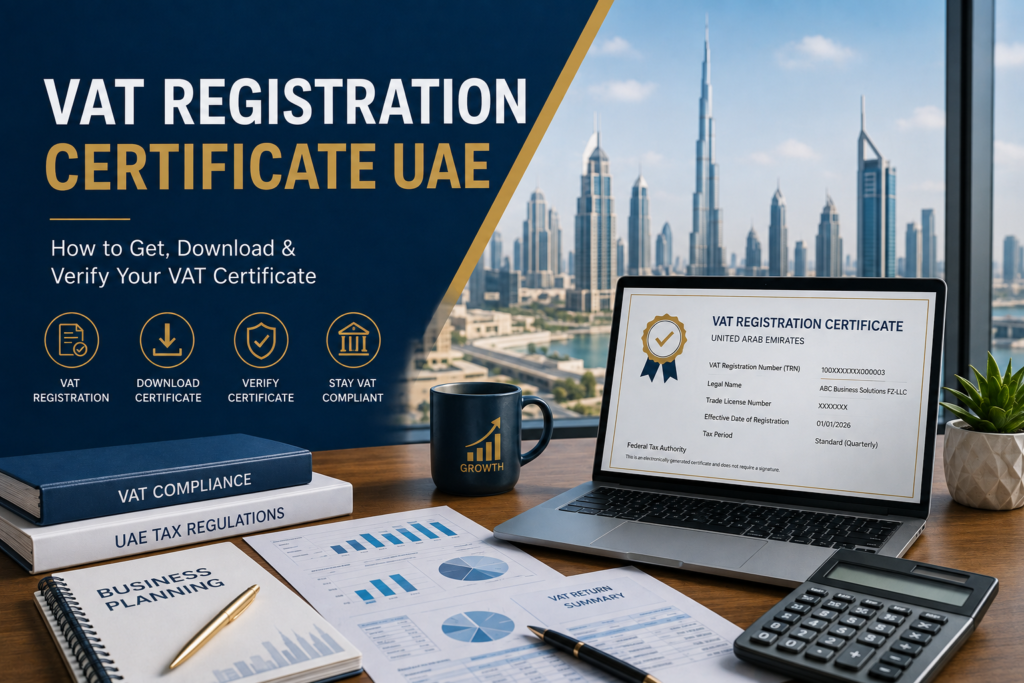
A VAT Registration Certificate is the official document issued by the UAE Federal Tax Authority (FTA) confirming that a business is registered for Value Added Tax and authorized to charge, collect, and remit VAT under UAE VAT Law. It shows the business’s Tax Registration Number (TRN), legal name, registered address, effective registration date, and VAT return filing frequency, and it is issued once a VAT registration application is reviewed and approved through the FTA’s EmaraTax portal.
For UAE businesses, this certificate isn’t just paperwork to file away — it’s referenced during audits, customs transactions, supplier and client onboarding, and any interaction where a business needs to prove its VAT status. This guide explains how to get one, download it, verify it, and what to do if it goes missing.
VAT Registration Certificate vs TRN: What Is the Difference?
These two terms are closely related but not identical, and confusing them is one of the most common misunderstandings among UAE businesses.
| Term | What It Is |
|---|---|
| Tax Registration Number (TRN) | A unique 15-digit numeric identifier assigned to a VAT-registered business. It appears on tax invoices, VAT returns, and all FTA correspondence. |
| VAT Registration Certificate | The formal document issued by the FTA that displays the TRN alongside other registration details — legal entity name, registered address, effective date, and filing frequency. |
In short: the TRN is a number; the VAT Registration Certificate is the document that officially certifies that number belongs to your business. You need the certificate to formally prove your VAT registration status, while the TRN itself is what gets quoted on invoices and used for day-to-day compliance.
It’s also worth distinguishing VAT registration from Corporate Tax registration. Both are administered through EmaraTax, but they are separate registrations with separate certificates and separate compliance obligations — a VAT Registration Certificate does not cover Corporate Tax, and vice versa.
Who Needs a VAT Registration Certificate in the UAE?
Any business that has successfully registered for VAT — whether on a mandatory or voluntary basis — is issued a VAT Registration Certificate. This generally includes:
- UAE-resident businesses whose taxable supplies and imports exceed the mandatory registration threshold
- Businesses that choose to register voluntarily once they exceed the voluntary threshold
- Non-resident businesses making taxable supplies in the UAE, which generally must register regardless of a specific revenue threshold, unless another UAE entity accounts for the VAT on their behalf
- Free Zone and mainland companies alike, where their activity and turnover meet the applicable registration criteria
A business that has not yet registered, or whose registration has been cancelled, will not hold a valid certificate — which is why verifying a supplier or partner’s VAT status matters before relying on their TRN (covered further below).
When Should a UAE Business Register for VAT?
Timing depends on which threshold your business has crossed:
- Mandatory registration generally applies once taxable supplies and imports exceed AED 375,000 over the previous 12 months, or are expected to exceed that amount within the next 30 days.
- Voluntary registration is available once taxable supplies, imports, or taxable expenses exceed AED 187,500, giving smaller businesses the option to register early — often to recover input VAT on expenses.
- Non-resident businesses making taxable supplies in the UAE generally have no minimum threshold and are expected to register regardless of turnover, subject to the applicable rules.
Businesses that meet the mandatory threshold are generally expected to apply within 30 days of becoming liable. Missing this window can expose a business to administrative penalties, so it’s worth monitoring turnover on a rolling basis rather than only at year-end.
UAE VAT Registration Requirements
Before applying, a business should confirm:
- Whether it meets the mandatory or voluntary threshold, based on actual or projected taxable supplies
- Its legal structure and licensing status (trade license, incorporation documents)
- Whether it will register as a standalone Taxable Person or as part of a VAT Tax Group with related entities
- Its accounting basis and expected VAT return filing frequency
- That its business activity and turnover figures are properly documented and ready to support the application
Because eligibility, thresholds, and applicable exemptions can depend on the specific nature of the business and its transactions, it’s advisable to review your position carefully — or with a qualified advisor — before submitting an application.
Documents Required for VAT Registration
While the exact list can vary depending on the applicant’s legal structure and activity, UAE VAT registration through EmaraTax generally requires:
- Valid trade license
- Passport and Emirates ID copies of the owner(s), partners, or authorized signatories
- Proof of authorization (e.g., Power of Attorney, where applicable)
- Company contact details and registered address
- Bank account details
- Financial records or turnover declarations supporting the registration threshold claimed
- Details of business activities and expected nature of supplies
- Customs registration details, where the business is involved in import/export activity
Applicants should ensure all documents are current and consistent with the information entered in the EmaraTax application, since mismatches are a common cause of delays.
How to Register for VAT in the UAE
- Create or log into your EmaraTax account at the FTA’s official portal (tax.gov.ae), using your email, mobile number, or UAE Pass.
- Start a new VAT registration application from the Taxable Person dashboard.
- Complete the application sections, covering business details, activities, ownership, and turnover information.
- Upload supporting documents, including your trade license, identification documents, and financial records.
- Submit the application for FTA review.
- Respond to any FTA queries — the authority may request clarification or additional documents during processing.
- Receive approval and your TRN, which typically appears in your EmaraTax dashboard once the application is approved.
Processing times can vary depending on the completeness of the application and any follow-up requests from the FTA, but businesses should expect the review process to take several weeks from submission to approval.
How to Get Your VAT Registration Certificate
Once your VAT registration application is approved by the FTA, your VAT Registration Certificate becomes available directly through your EmaraTax account — there is no separate application needed to receive it.
The certificate is generated automatically alongside your TRN once approval is finalized. You do not need to request it separately, though you will need to log in to your EmaraTax dashboard to access and download the document.
How to Download a VAT Registration Certificate in UAE
To download your VAT Registration Certificate:
- Log in to your EmaraTax account using your registered credentials.
- Navigate to the “Taxable Person” dashboard or the relevant “My Correspondences” / “Certificates” section, depending on the current portal layout.
- Locate your VAT Registration Certificate among your approved registration documents.
- Click to download the certificate as a PDF file.
- Save and store the file securely, since you may need to reference or share it during audits, tenders, or business dealings.
If you’re unable to locate the certificate in your account, or your access has changed (e.g., a change in authorized signatory), you may need to contact the FTA directly or work through your registered tax agent to regain access.
What Information Is Included on a VAT Certificate?
A UAE VAT Registration Certificate typically includes:
- Tax Registration Number (TRN) — the unique 15-digit identifier
- Legal entity name — the business’s registered legal name
- Business address and contact information
- Effective date of registration — the date from which the business is required to charge VAT
- First VAT return due date and filing frequency
- Trade license number and issuing authority
Some certificates also include a QR code or similar feature enabling quick verification of the certificate’s authenticity and current status by third parties.
How to Verify a UAE VAT Registration Certificate
To verify a UAE VAT Registration Certificate, use the FTA’s TRN verification service, available on the EmaraTax portal or the official UAE Tax mobile app. Simply enter the 15-digit TRN shown on the certificate or invoice, and the system will confirm whether the registration is currently active, cancelled, or otherwise not valid.
This step matters in practice, not just in theory:
- Before paying the VAT portion of a supplier invoice, verify their TRN to confirm the registration is active
- A “not found” result or a name mismatch between the TRN holder and the invoicing entity is a signal to pause and clarify before paying
- Transacting based on an invalid or cancelled TRN can create complications for input tax recovery on your own VAT returns
TRN verification confirms that a registration exists and is active — it does not, on its own, confirm that the underlying transaction, invoice amount, or VAT treatment is correct, so it should be treated as one part of your supplier due diligence process, not the whole of it.
Common VAT Registration Certificate Problems
Businesses occasionally run into a few recurring issues:
- Certificate not visible in EmaraTax — this can happen shortly after approval while the system updates, or due to access/permission issues on the account
- Details on the certificate are outdated — such as an old trade name or address, following a business change that wasn’t reported to the FTA
- Lost access to the EmaraTax account — for example, after a change in authorized signatory or lost login credentials
- Certificate needed urgently for a tender or audit but not readily accessible
What to Do If Your VAT Certificate Is Lost or Unavailable
If you can’t locate your certificate:
- Log back into EmaraTax and check the certificates or correspondence section again — it can usually be re-downloaded at any time.
- Confirm your registration details are current. If your trade name, address, or other details have changed, you’re generally required to notify the FTA within a defined window (commonly 20 business days) so your certificate reflects accurate information.
- Contact the FTA or your registered tax agent if you’re unable to access your account or locate the document.
- Avoid using outdated or unofficial copies of your certificate for formal purposes — always work from the current version downloaded through EmaraTax.
How VAT Registration Affects Your Business
Once registered, a business takes on several operational responsibilities:
- Charging VAT (currently 5%) on taxable supplies, and issuing compliant tax invoices that display the TRN
- Paying VAT on business purchases (input tax), which can generally be recovered against output tax where conditions are met
- Filing VAT returns through EmaraTax within the assigned filing period
- Maintaining VAT-compliant records, including invoices, credit notes, and supporting documentation
- Displaying VAT registration status appropriately in business dealings, since the TRN is expected to appear on all tax invoices
VAT registration is designed to be broadly tax-neutral for businesses in the supply chain, with the final cost generally falling on the end consumer — but this only works smoothly when registration, invoicing, and filing are handled correctly.
Common VAT Registration Mistakes to Avoid
- Registering late — waiting past the 30-day window after crossing the mandatory threshold can trigger penalties
- Applying with incomplete or inconsistent documents — mismatches between trade license details and application data cause delays
- Confusing the TRN with the VAT Registration Certificate — remember, one is a number, the other is the certifying document
- Not updating the FTA after business changes — trade name, address, or activity changes should be reported within the applicable timeframe
- Failing to verify supplier TRNs — paying VAT to an unregistered or deregistered supplier can jeopardize input tax recovery
- Assuming VAT and Corporate Tax registration are the same process — they are separate registrations with separate certificates
- Losing track of certificate access — not knowing how or where to redownload the certificate when it’s needed urgently
VAT Compliance Responsibilities After Registration
Getting your certificate is the starting point, not the finish line. Ongoing VAT compliance generally involves:
- Filing VAT returns accurately and on time, generally within the period specified in your EmaraTax filing schedule
- Paying any VAT liability by the applicable due date
- Keeping organized, audit-ready financial records and tax invoices
- Submitting Voluntary Disclosures promptly if an error is discovered in a previously filed return
- Monitoring FTA updates and guidance, since VAT rules and administrative procedures are periodically refined
- Applying for deregistration within the required timeframe if the business ceases taxable supplies or falls below the relevant threshold
Treating VAT compliance as an ongoing process — rather than a one-time registration task — is what keeps a business in good standing with the FTA over time.
How Fandeez Can Help With VAT Registration in the UAE
Getting VAT registration right — and keeping your certificate, TRN, and filings consistent — takes more than a single form submission. Fandeez Business Solutions, a UAE-based accounting, VAT, Corporate Tax, bookkeeping, auditing, and business advisory consultancy, supports UAE businesses through the full VAT lifecycle.
Fandeez does not guarantee approval of any VAT registration application — that decision rests with the FTA — but can help with:
- VAT Registration — assessing eligibility, preparing documentation, and submitting your application through EmaraTax
- VAT Compliance and VAT return filing, keeping your filings accurate and on schedule
- Corporate Tax registration and compliance, alongside your VAT obligations
- Bookkeeping and Accounting Services, to keep VAT-relevant records organized and audit-ready
- Auditing Services for businesses that need financial statements reviewed alongside their VAT position
- Business Advisory for businesses navigating VAT alongside broader compliance and growth planning
Frequently Asked Questions
1. How do I get a VAT Registration Certificate in UAE? You receive it automatically through your EmaraTax account once your VAT registration application is approved by the FTA — no separate request is needed.
2. How do I download my VAT certificate in UAE? Log in to EmaraTax, go to the Taxable Person dashboard or Certificates/Correspondences section, locate the VAT Registration Certificate, and download it as a PDF.
3. What is a VAT Registration Certificate? It’s the official FTA document confirming a business is registered for VAT, showing its TRN, legal name, address, effective registration date, and filing frequency.
4. Is a VAT Registration Certificate the same as a TRN? No. The TRN is the 15-digit identifier number itself; the VAT Registration Certificate is the document that officially certifies that number and other registration details.
5. Who needs VAT registration in the UAE? Businesses exceeding the mandatory threshold (AED 375,000 in taxable supplies and imports), those opting for voluntary registration above AED 187,500, and generally non-resident businesses making taxable supplies in the UAE.
6. What documents are required for VAT registration? Typically a trade license, identification documents for owners/signatories, business and bank details, and financial records supporting the registration threshold, though exact requirements can vary by applicant.
7. How can I verify a UAE VAT certificate? Use the FTA’s TRN verification tool on EmaraTax or the UAE Tax mobile app, entering the 15-digit TRN to confirm the registration is active.
8. How long does VAT registration take in the UAE? Processing generally takes several weeks from submission to approval, though timing can vary depending on application completeness and any FTA follow-up requests.
9. What should I do after receiving my VAT Registration Certificate? Start charging VAT correctly on your tax invoices, ensure your TRN appears on all relevant documents, begin filing VAT returns on schedule, and keep your registration details updated with the FTA.
Stay VAT Compliant With Confidence
Whether you’re registering for VAT for the first time, need help downloading or verifying a certificate, or want ongoing support with VAT returns and compliance, getting the details right protects your business from unnecessary penalties and delays. Contact Fandeez Business Solutions for support with VAT registration, VAT compliance, Corporate Tax, bookkeeping, accounting, auditing, and business advisory services.
Contact Us to speak with our VAT advisory tea